Client projects in one place.
Motion films one click away.
Shutbee is where agencies and the brands they serve run work together: messages, to-dos and files, with exactly the parts you choose visible to the client. When the project needs a film, you brief the studio from inside it.
Built for agencies and in-house marketing teams. Clients join free, by email, no password.
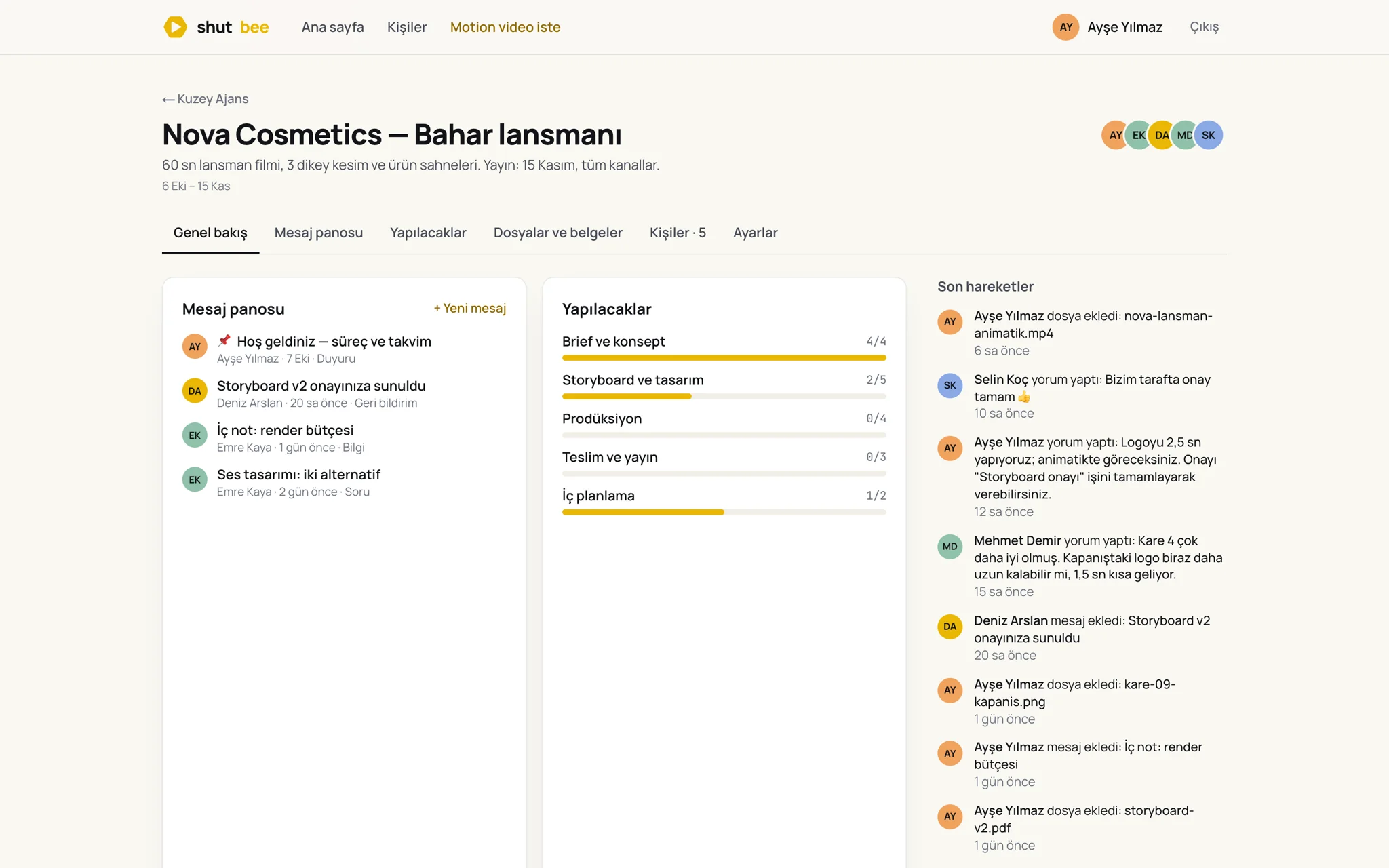
Everything a job needs, nothing it doesn't.
Each client job is a project. Inside it you turn on only the tools you need and decide, item by item, what the client sees.
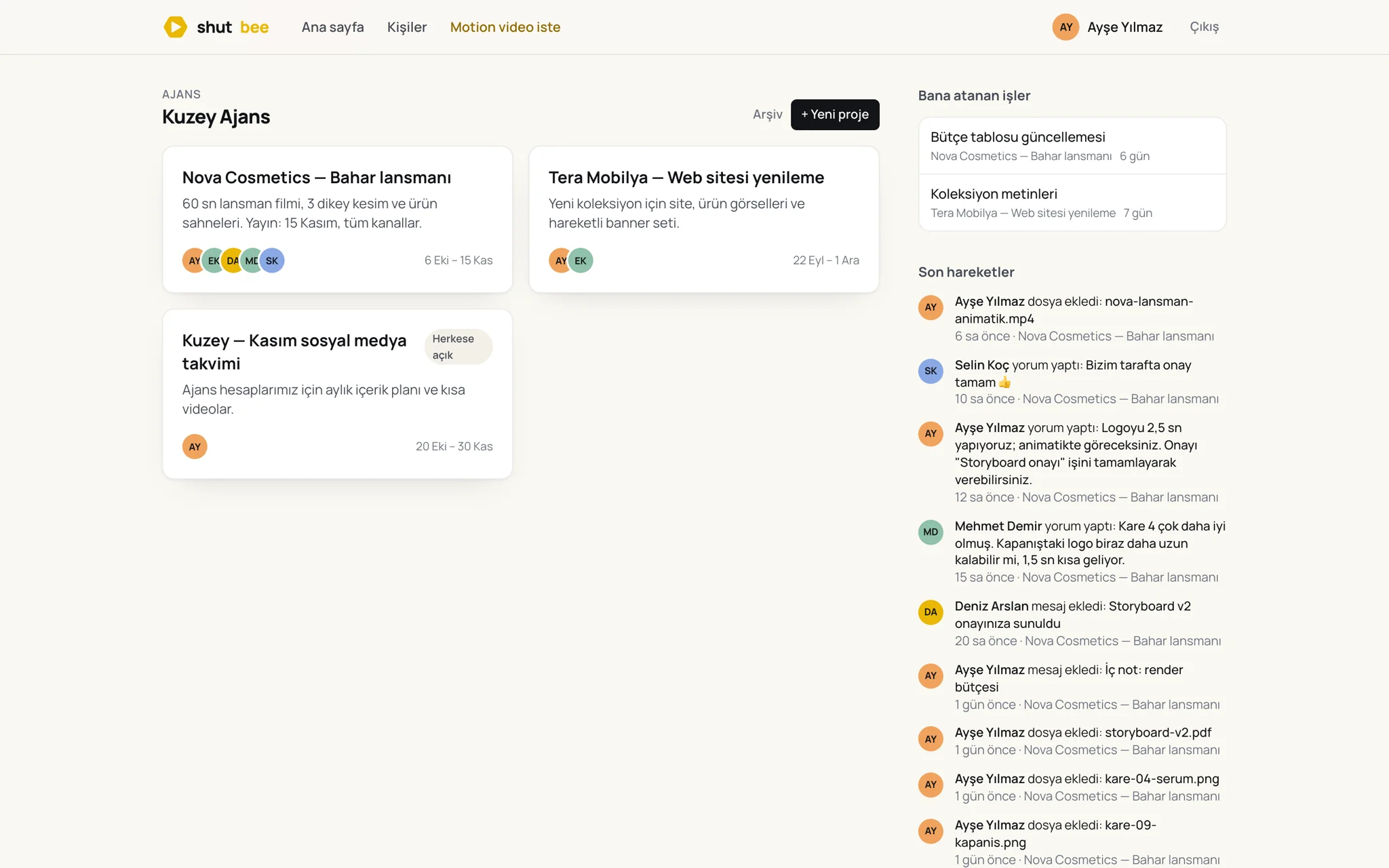
One card per job, one page for your day.
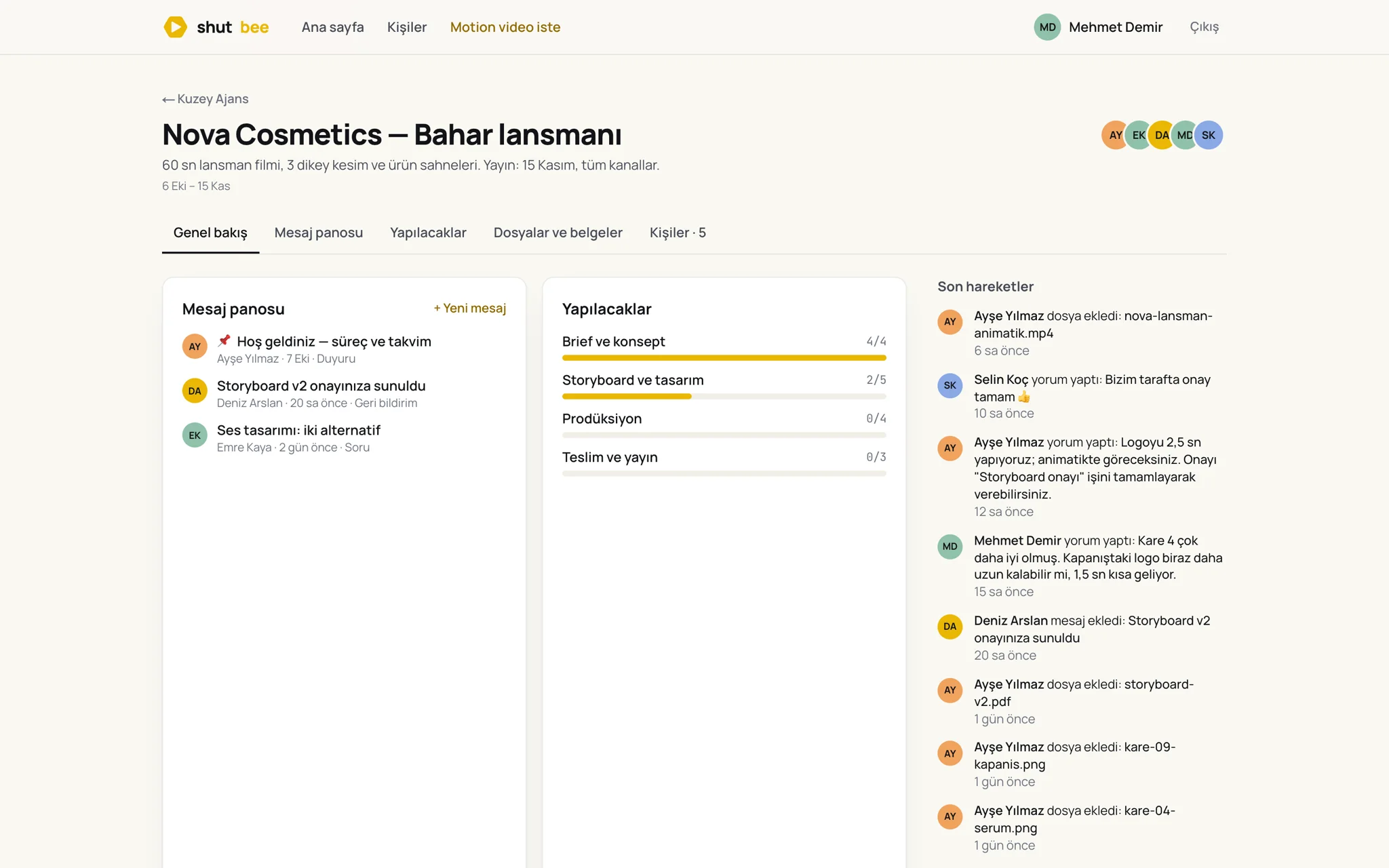
Projects are grouped by account, archived when done. Your assignments and the latest activity across every project sit on the home page, so nobody has to ask what changed.
- Invite-only projects, or open to everyone on the account
- Your to-dos and due dates in one list
- Activity feed across all projects
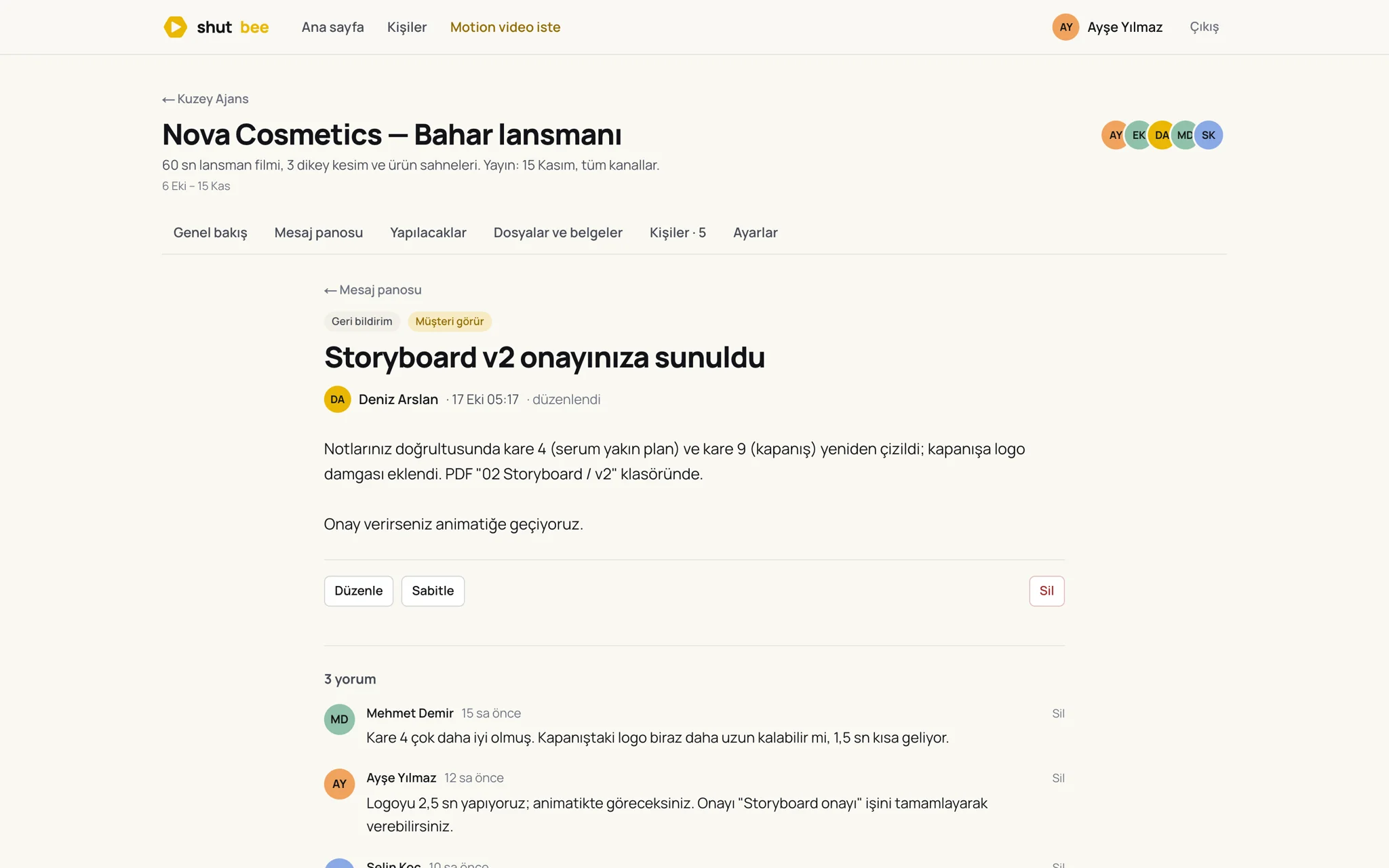
Decisions stay on the board, not in email.
Announcements, feedback rounds and questions are posts with replies underneath. Pin the ones that matter; the thread is the record when someone asks why.
- Categories: announcement, feedback, question, decision
- Replies from your team and the client in one thread
- Pinned posts at the top of every project
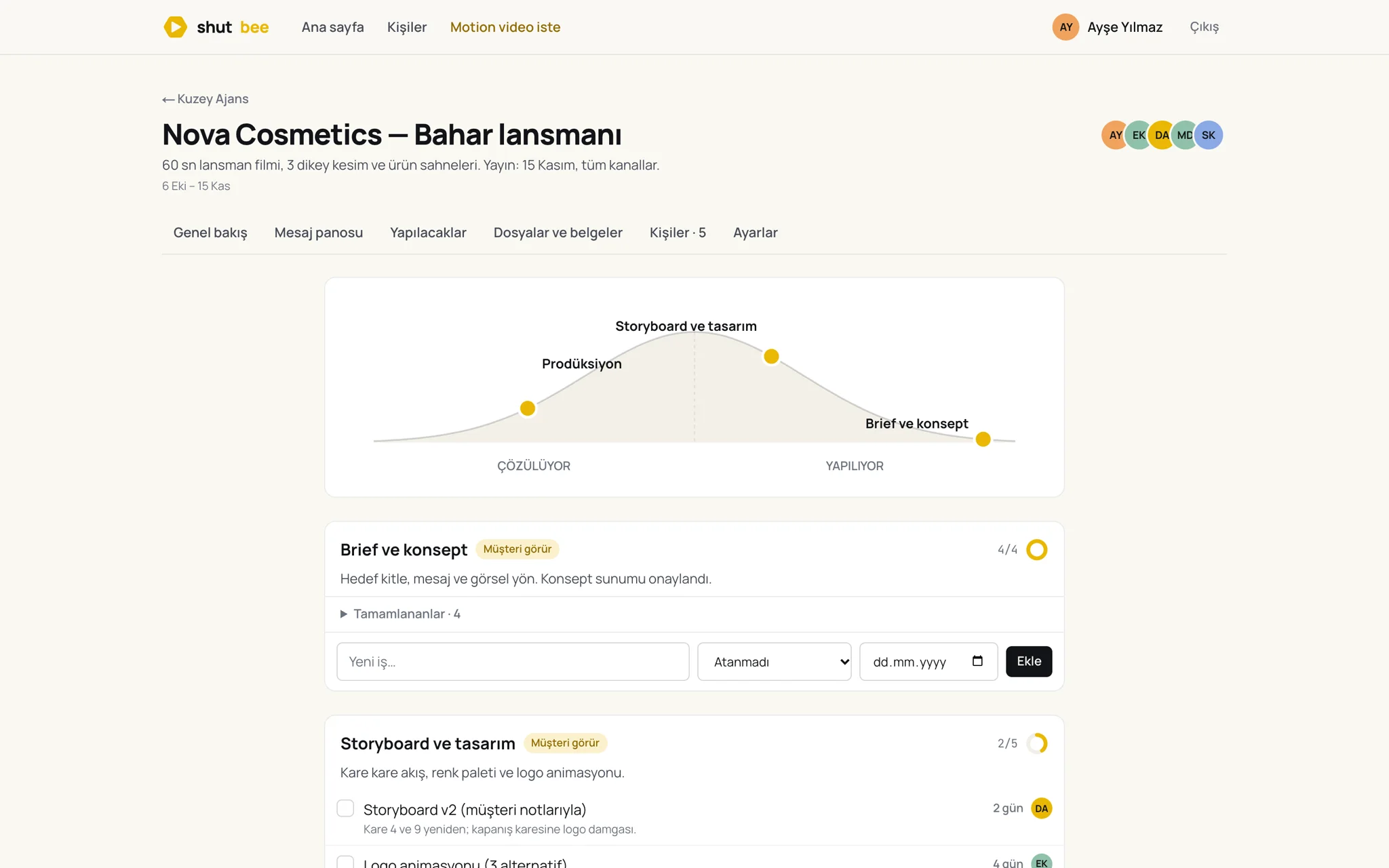
Lists that show where work really stands.
Break the job into lists, assign people, set dates. The hill chart tells you which lists are still being figured out and which are just being done — a judgement call, not a formula.
- Assignees, due dates and notes on every task
- Completed work folds away, progress stays visible
- Hill chart per list for honest status
Briefs, storyboards and deliveries in folders.
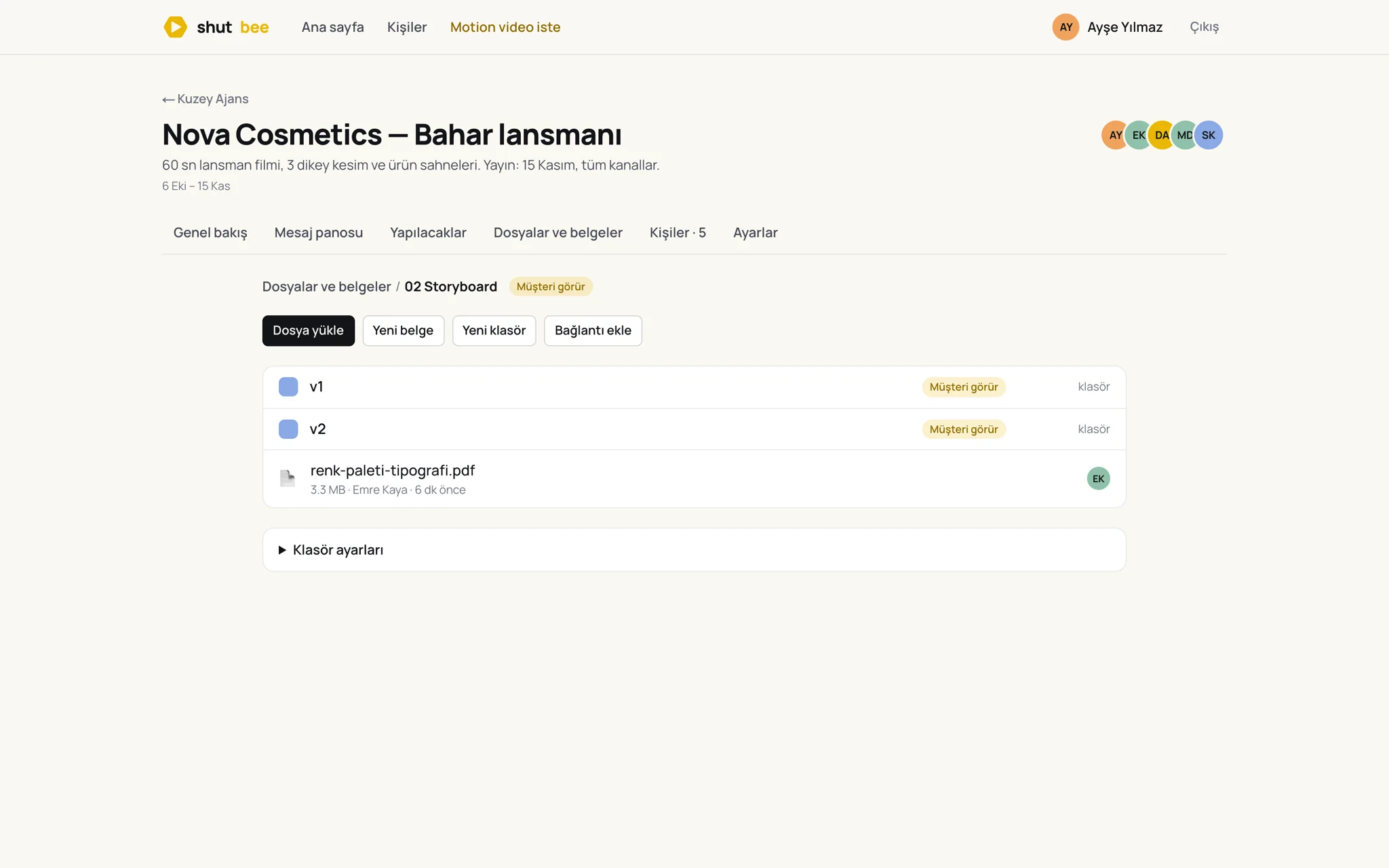
Nested folders with colours, uploads with versions, written docs and links to Figma or Drive. Preview images, video and PDF in place; comment under any file.
- Folders inherit who can see them
- Replace a file, keep the version count
- Docs and external links next to uploads
Clients see exactly what you choose.
Everything starts team-only. Flag a list, a folder or a post as visible to the client and they get the same project, minus your internal notes. They can comment, upload and tick off their approvals — without an extra seat.
- Three kinds of people: team, outside collaborators, clients
- Client can't see flags, internal posts or settings
- Client approvals are ordinary to-dos they complete
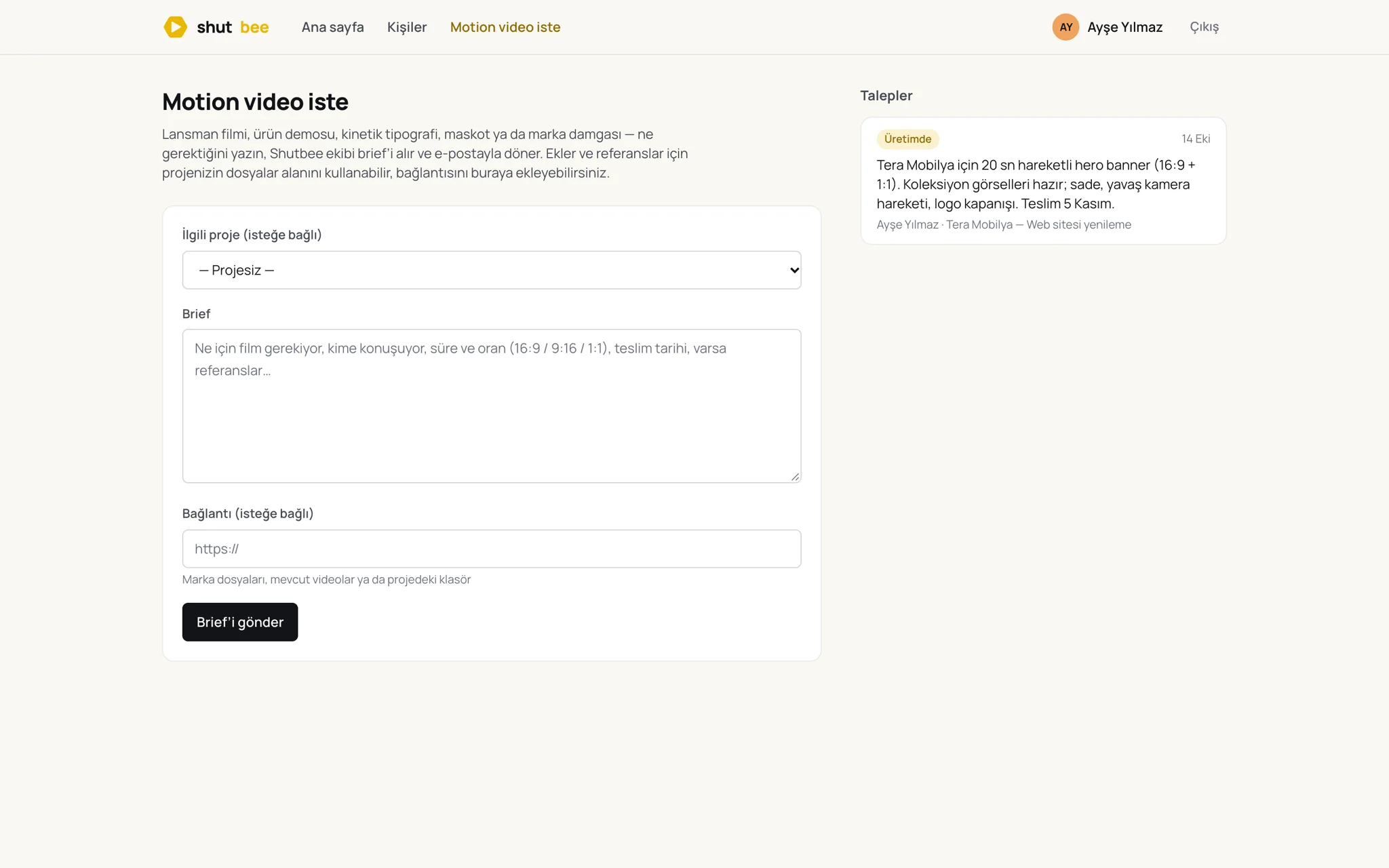
Need a film? Brief the studio from inside the project.
Shutbee is also a motion studio. Launch films, product demos, mascots and logo stings are briefed from the project, storyboarded for your approval, and delivered back into the same folders your client already uses.
- 01
Brief in one form
A few lines, a link to the project folder and a date. The studio replies by email with a direction and a fixed quote.
- 02
Storyboard first
Nothing is animated before you approve a storyboard — posted on your message board, with the client's comments underneath.
- 03
Delivered into the project
Masters in 16:9, 9:16 and 1:1, captioned, uploaded to the delivery folder with version history.
What the studio makes.
Launch films from the wider motion scene, credited to their makers. Hover to play; click for sound — and to ask for a film in that style.
Three steps to a calmer project.
No onboarding calls, no setup project. Sign in with your email, open a project, invite the client.
Open a project, invite people
Your team, outside freelancers and the client — each with the right kind of access from the first minute.
Work in the open
Post the brief, split the work into lists, keep files in folders. Flag what the client should see; the rest stays internal.
Add motion when you need it
Brief the studio from the project. The storyboard, the approvals and the final films live where the rest of the job lives.
Questions we hear most.
Who is Shutbee for?
Agencies and in-house marketing teams that run work with clients or stakeholders. It replaces the mix of email threads, shared drives and spreadsheets a job usually spreads across.
Do clients need an account?
Yes, but it takes thirty seconds: they get an email, click the link, and they're in. No password, no seat fee. They only ever see the projects they were invited to.
How is client visibility controlled?
Everything starts team-only. You flag a message, a to-do list or a folder as visible to the client. Items inside inherit the flag, so a shared folder shares its contents and a private one hides them.
Where is our data stored?
On servers in the European Union, encrypted at rest and in transit. Each account is isolated at the database level; a client cannot reach a file they weren't given, even with the link.
Can we use the workspace without ordering films?
Of course. The studio is there when you need it; the workspace stands on its own.
How is it priced?
The workspace is priced per account, not per seat, so clients and freelancers cost nothing. Films are quoted per piece after the brief. We're onboarding the first teams by hand — talk to us and we'll set you up.
Tell us about your team.
A few lines about how you work with clients, or about the film you need. We reply within a business day.